


Conjure Any Color Code


Have you ever stumbled across the perfect color online ~ maybe on Pinterest, an Instagram post, or a photo ~ and wished you could instantly make it part of your own brand? Instead of guessing or settling for “close enough,” I’m going to show you how to pull that exact shade out of thin air.
✨ Your Potion Kit – to follow along with this tutorial, you’ll need a free Canva account.
The Magic Behind the Hex Code
Step 1: Set the Scene
To start the spell, open your Lemonlade brand guide (or any design you’re working on) in one window, and pull up the image containing your desired color in another. Arrange them side-by-side on your screen so you have a clear view of both.
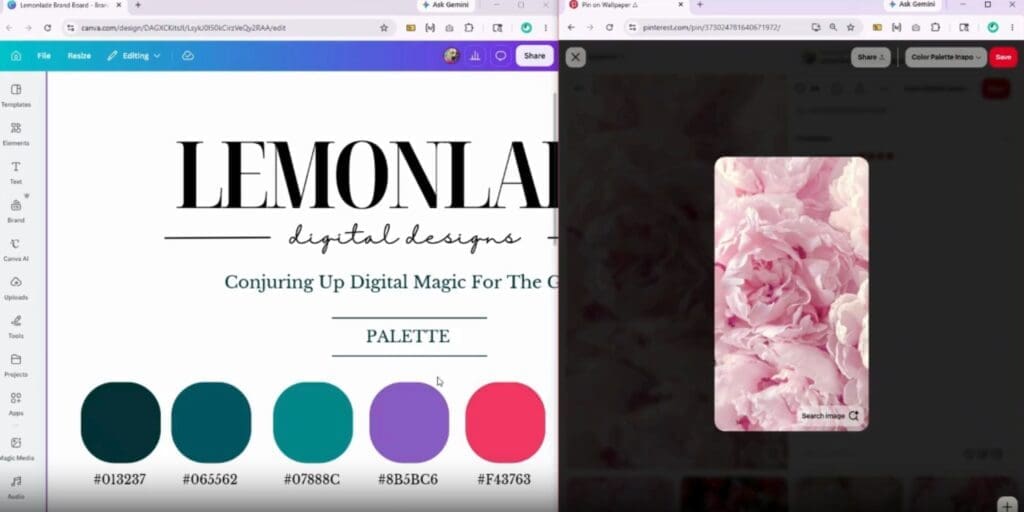
Step 2: Select Your Element
Click on the specific item in your design that you want to transform. It could be a button, a graphic, or even the entire background! Once it’s selected, head up to the top toolbar and click the color circle to open your palette options.
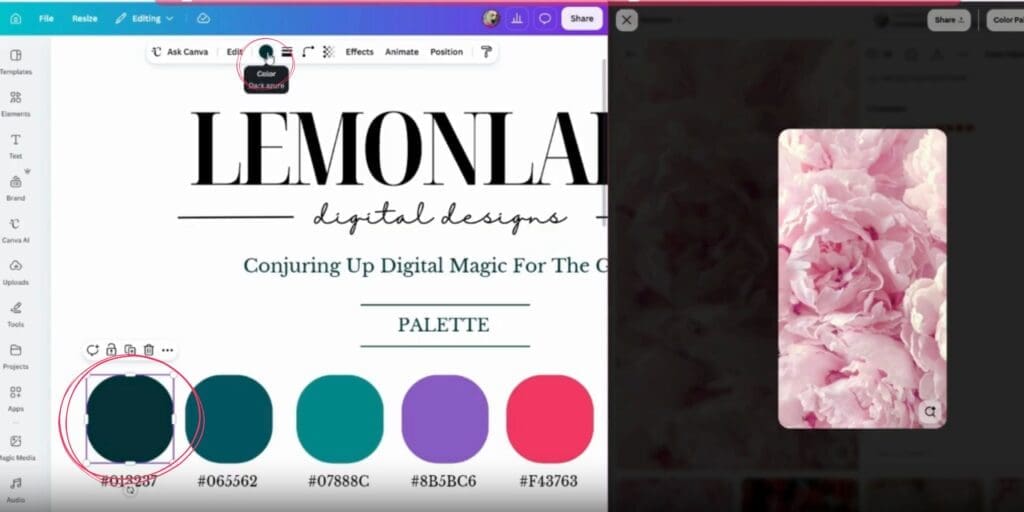
Step 3: Call Forth the Eyedropper
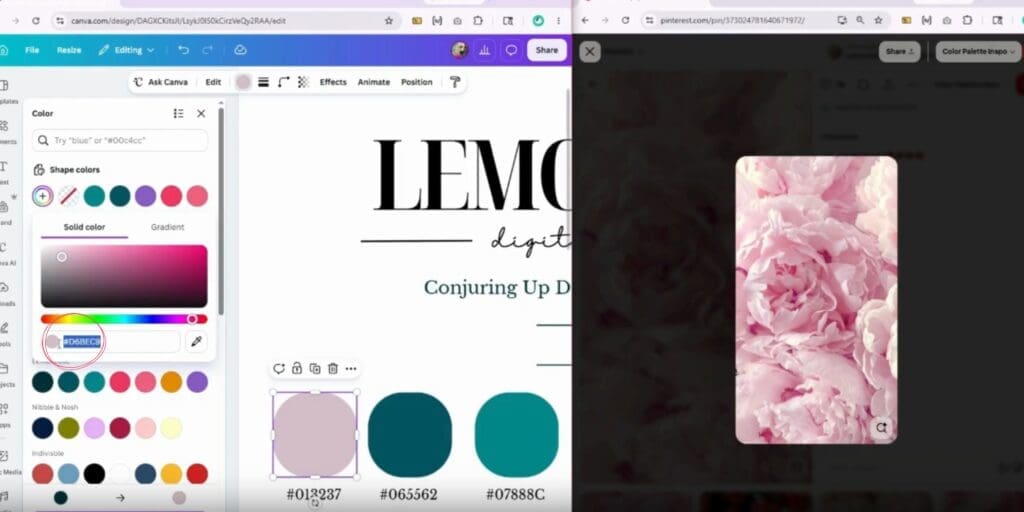
Inside the color menu, look for the large, colorful circle with a plus sign (+) in the middle—this is your “Add New Color” button. Click that, and you’ll see the eyedropper tool icon appear. This is the magic wand you’ll use to capture your color!
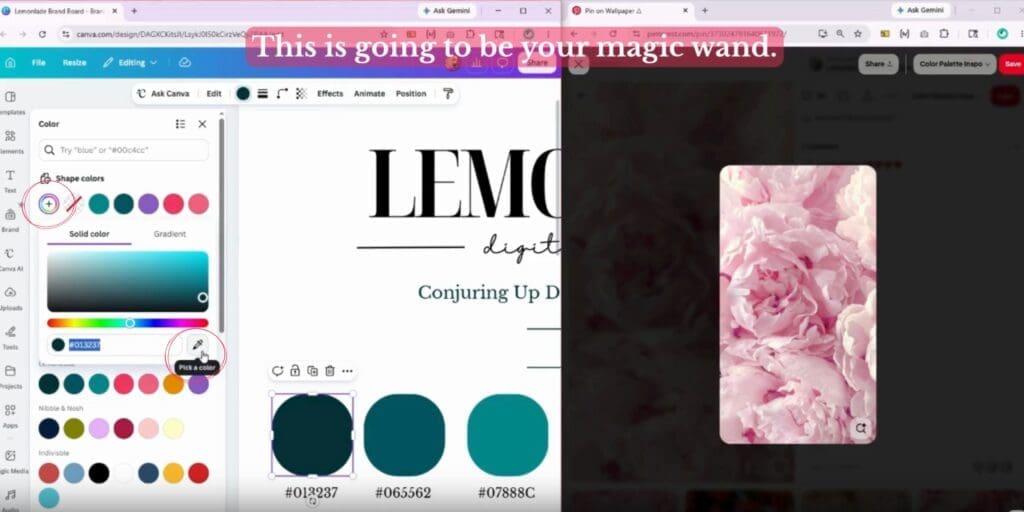
Step 4: Capture the Color
Click on that eyedropper tool, then move your cursor over to the image you have open in your second window. Hover over the exact shade you’ve been hyperfixated on and click it.
Poof! Watch as your selected element in Canva instantly shifts to that perfect color.
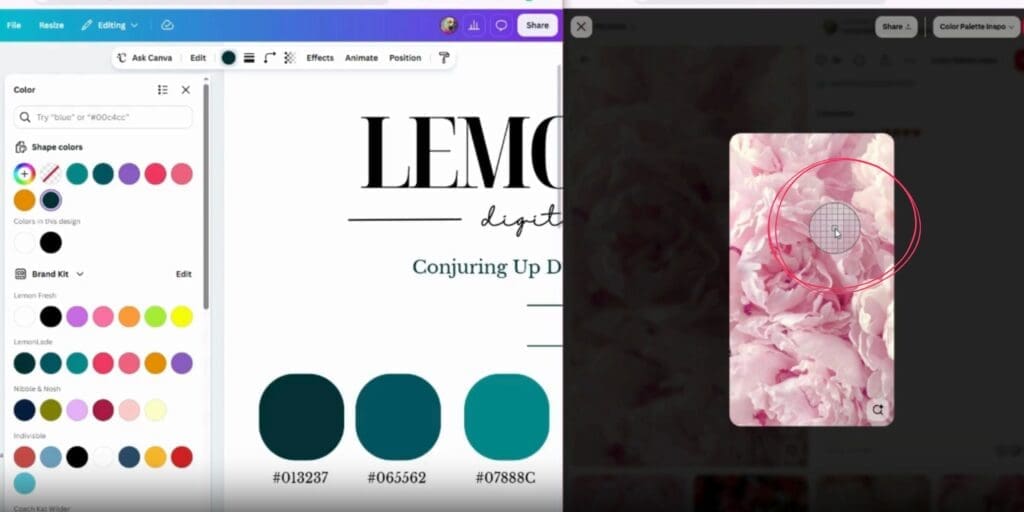
Step 5: Save Your Spell
Look at the bottom left-hand corner of the color box that just popped up; you’ll see the hex code (the series of letters and numbers) displayed there. Go ahead and copy it! If you’re working in your brand guide, paste that code right onto your page so you have a permanent record of it.
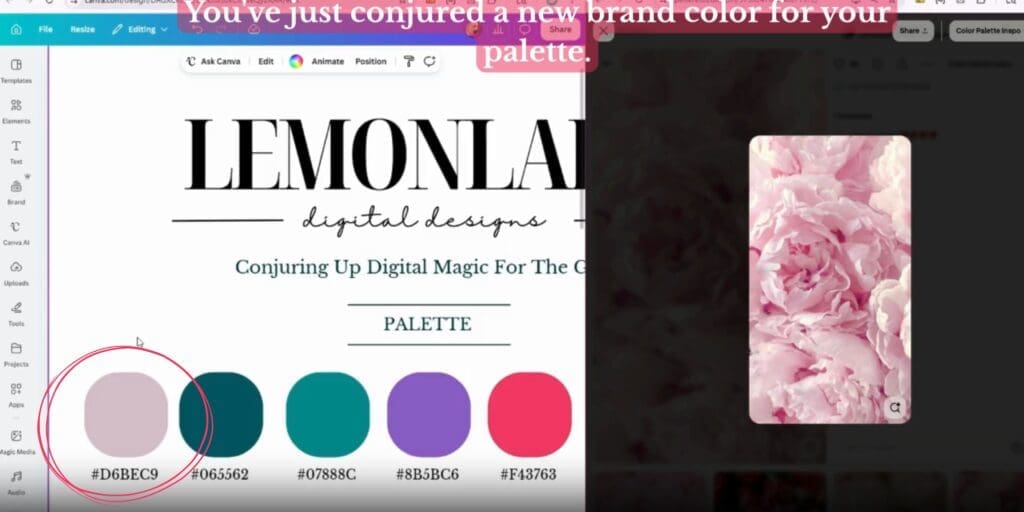
Once you have that code, you have the power to keep your brand looking cohesive everywhere you show up, from your website to your social media graphics.
✨ A Note on Color Alchemy (Hex vs. RGB/CMYK)
You’ve successfully captured your Hex Code, but as you venture further into the world of design, you may occasionally encounter other “languages” of color when working with professional designers or printers:
- Hex Code: Like the one you just copied (
#FFD700). This is best for web design, social media, and Canva. It’s the “universal language” for screens. - RGB (Red, Green, Blue): These numerical values are also used for digital displays. Some software programs may ask for these instead of a Hex code. If you ever find yourself needing an RGB version, you can easily conjure one using free online tools like Omni Calculator.
- CMYK: This is the language of printers. If you ever decide to print your branding on high-end stationery or physical products, you’ll want to talk to your printer about these specific codes.
Don’t worry too much about these other options — for 99% of your Lemonlade digital magic, that Hex Code is all the pixie dust you’ll ever need!
Happy conjuring, girl friends!
xo, Payton
Leave a Reply
If you hit a snag or something doesn't look right, no need to flip the cauldron. Mastery takes time. If you’ve re-watched the video and the ingredients still aren't aligning, send us a message. We’ll help you clear the hurdle so you can get back to ruling your empire.


