


Brew Your Brand In Canva


You’ve done the hard work of picking the perfect template and customizing it to fit your unique vision, now it’s time to make sure that magic is easily summoned! Think of this as bottling up your brand’s essence so you can pour it into every single thing you create. By setting up your Brand Kit in Canva, you’re making sure that every Instagram story, Pinterest pin, and PDF guide looks perfectly “you” with just a single click. Let’s get brewing!
✨ Your Potion Kit – to follow along with this tutorial, you’ll need a Lemonlade Brand Kit and Canva Pro Account.
Step-by-Step: Bottling the Magic
Step 1. Prep your ingredients
Before we start, make sure your ingredients are ready! Take a quick moment to finalize your designs exactly how you want them. Double-check that your new logos are updated with your business name and regrouped so they move as one piece of magic. If you’ve chosen new brand colors, have those hex codes switched for ultimate ease of use.
New to finding hex codes? Check out this quick trick to find your brand’s secret color numbers in seconds!
Step 2. Step into the brand hub
With your finalized brand kit open, look over at the left-hand sidebar. You’ll see a Brand Icon. Go ahead and click that, this is where your Brand Hub lives! It’s the Canva apothecary where all your logos, colors, and fonts stay organized and ready for action.
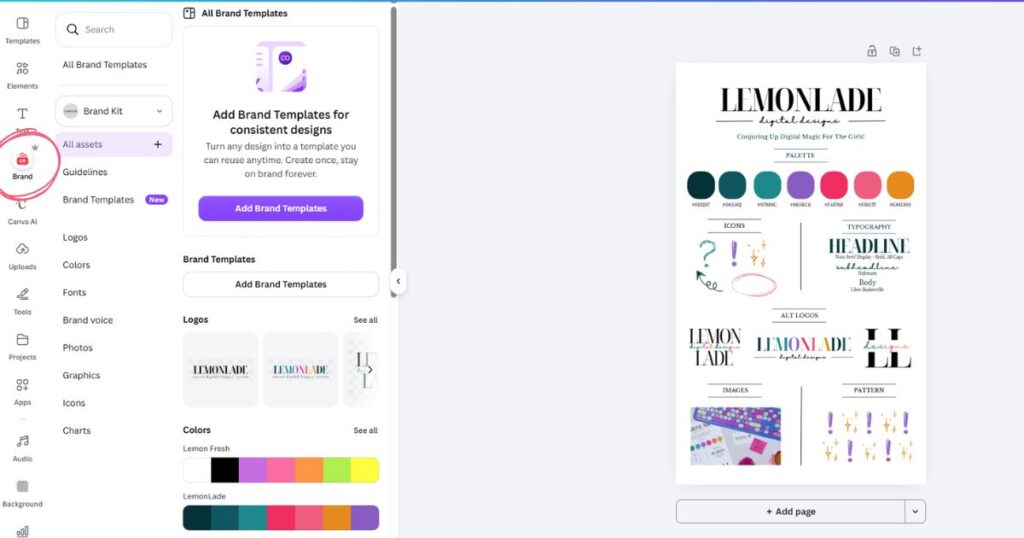
Step 3. Stir in your logos
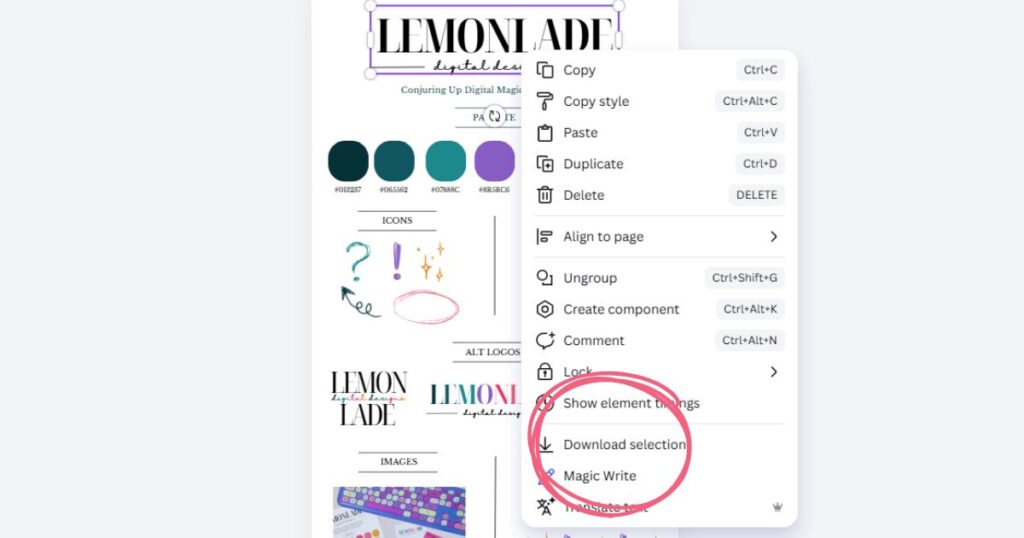
Right-click one of your grouped logos and select ‘Download Selection’ at the bottom of the menu.
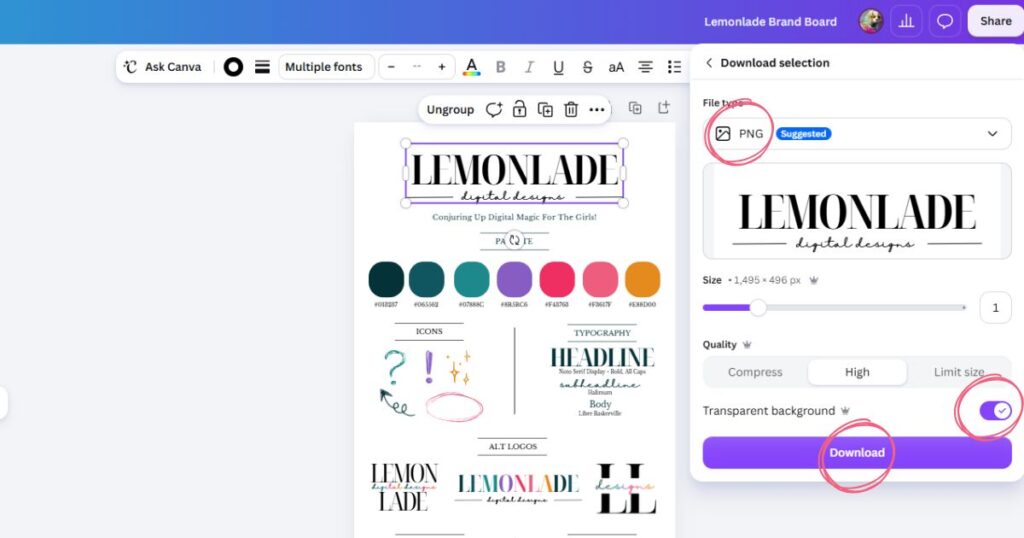
In the settings that pop up, make sure your file type is set to PNG and select Transparent Background before hitting download. Download each logo from your brand guide this way.
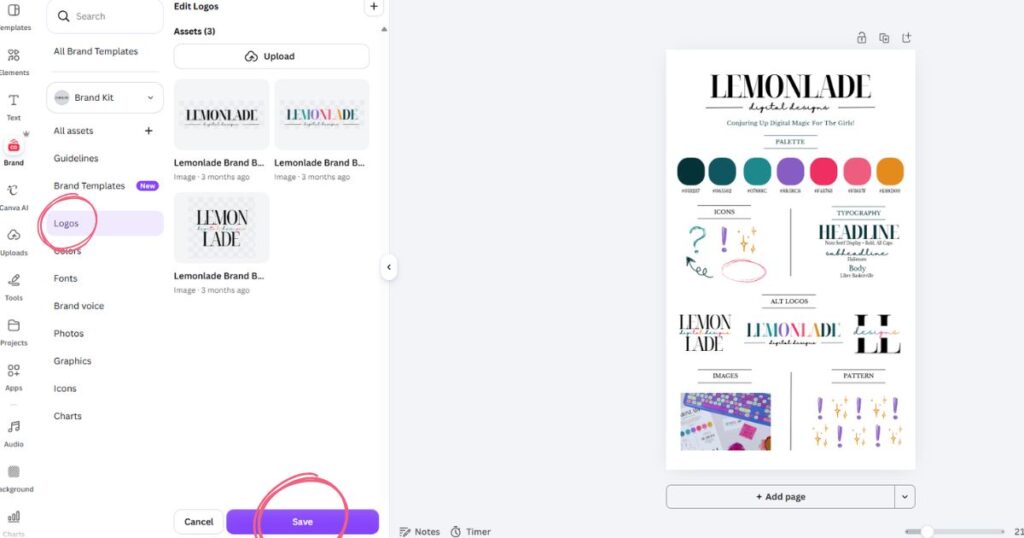
Once the logos are saved to your computer, jump back into that left-hand Brand tab, select ‘Logos,’ and simply drag each downloaded logo into the space. Hit ‘Save,’ and just like that, your logos are officially part of your potion kit!
Step 4. Drop in your signature colors
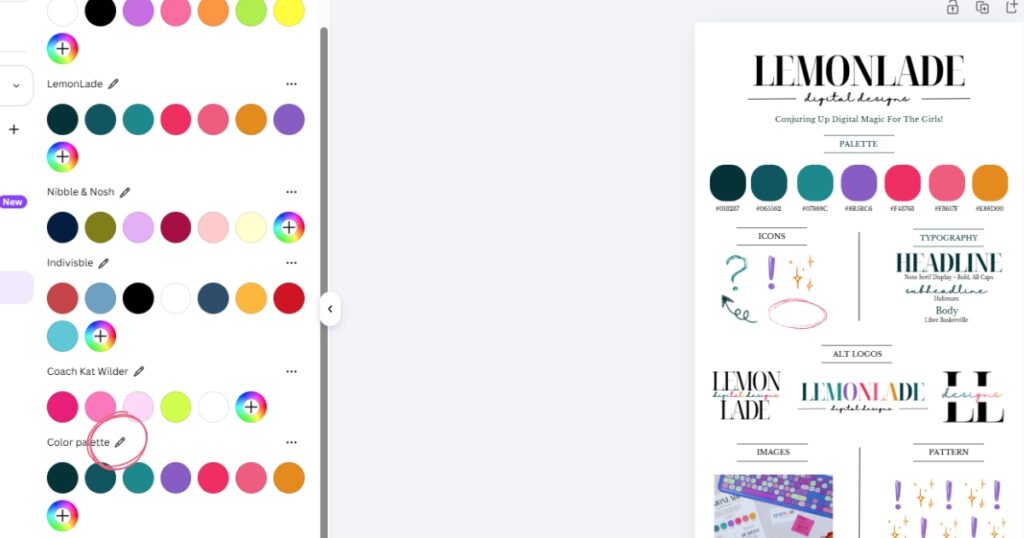
Next, it’s time to add the pigment to our potion! Select ‘Colors’ in the left-hand brand bar. (Note: My screen might look a little crowded because I already have a few brews going, but don’t worry!)
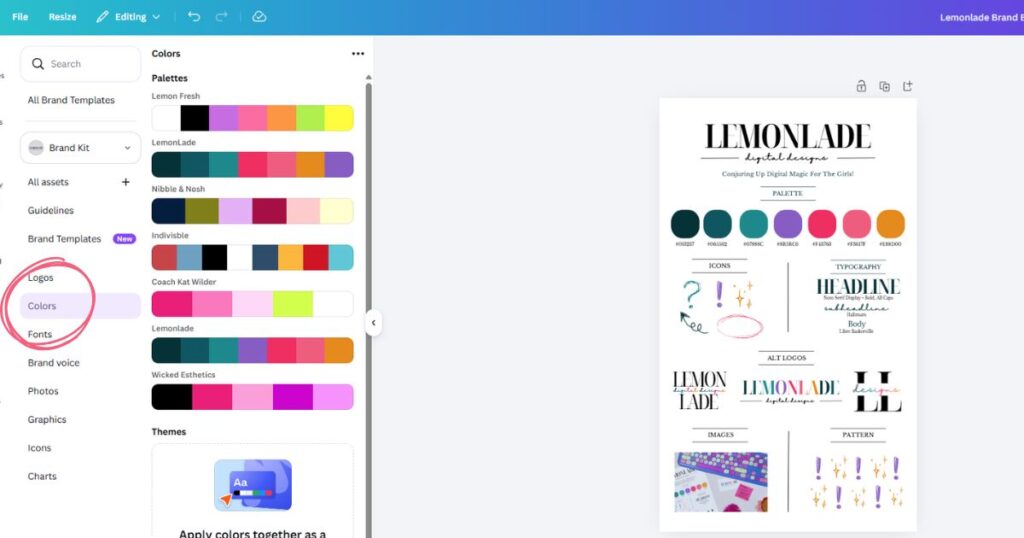
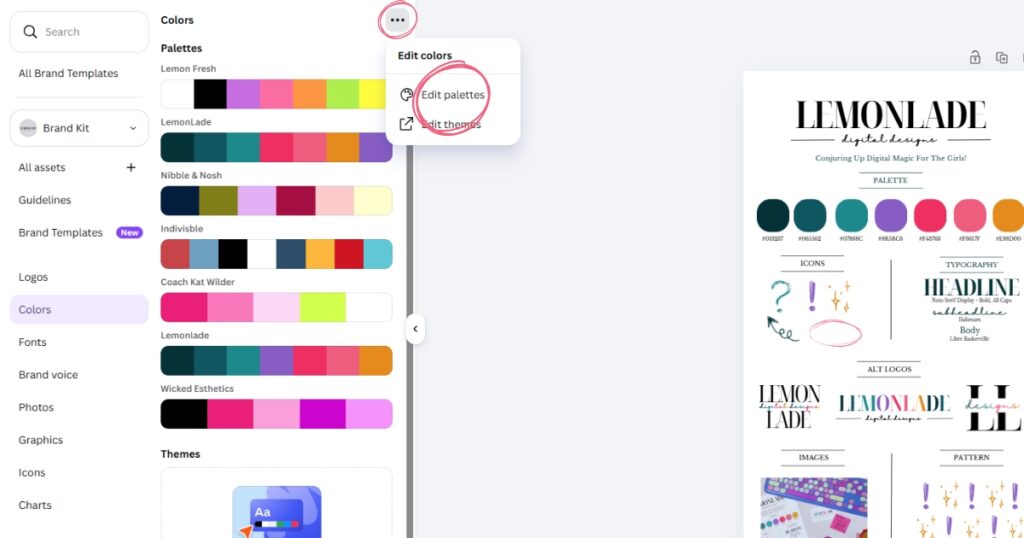
Click the three dots in the top right corner and select ‘Edit Palettes.’
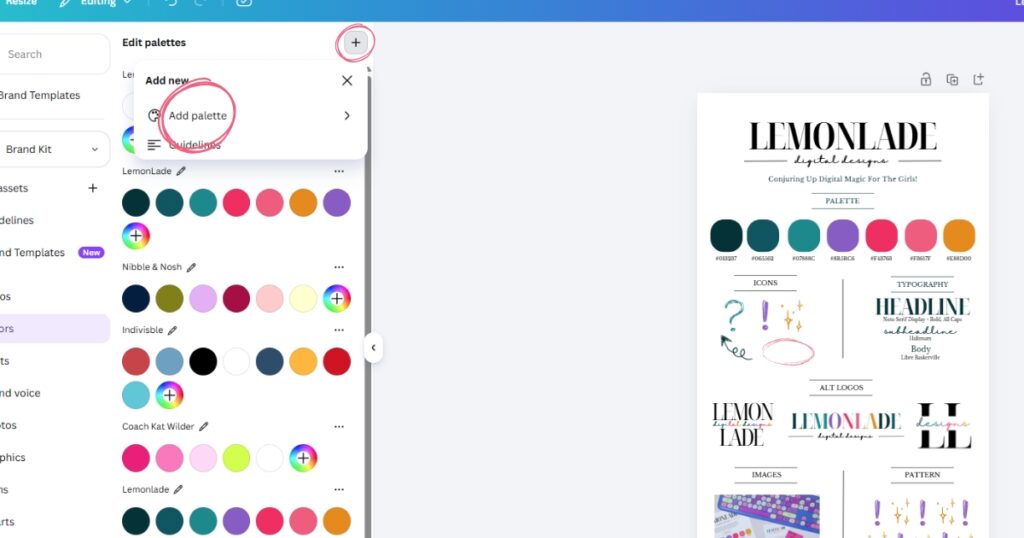
From there, hit the plus sign to ‘Add Palette’
and choose ‘Add Custom Palette +.’
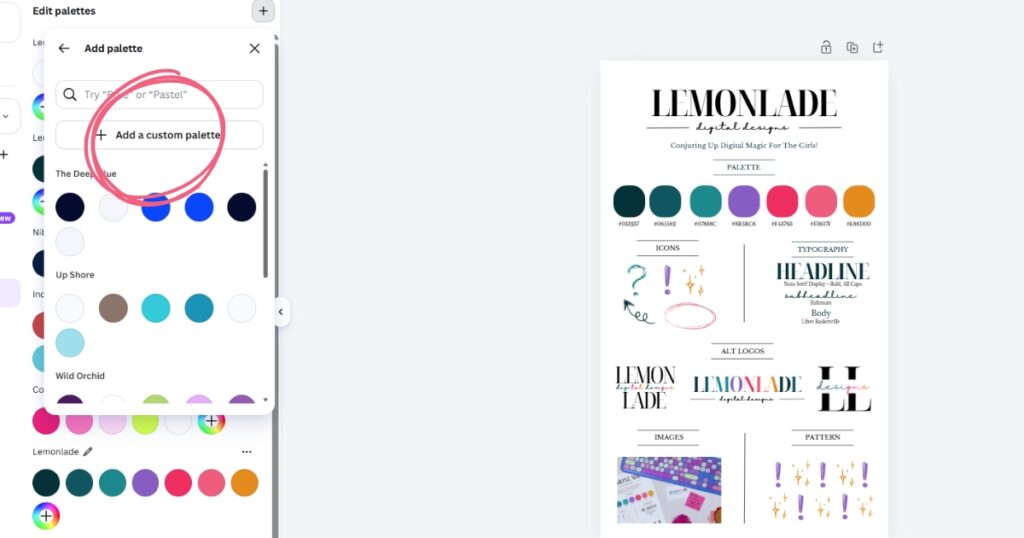
Go ahead and give your palette a name!
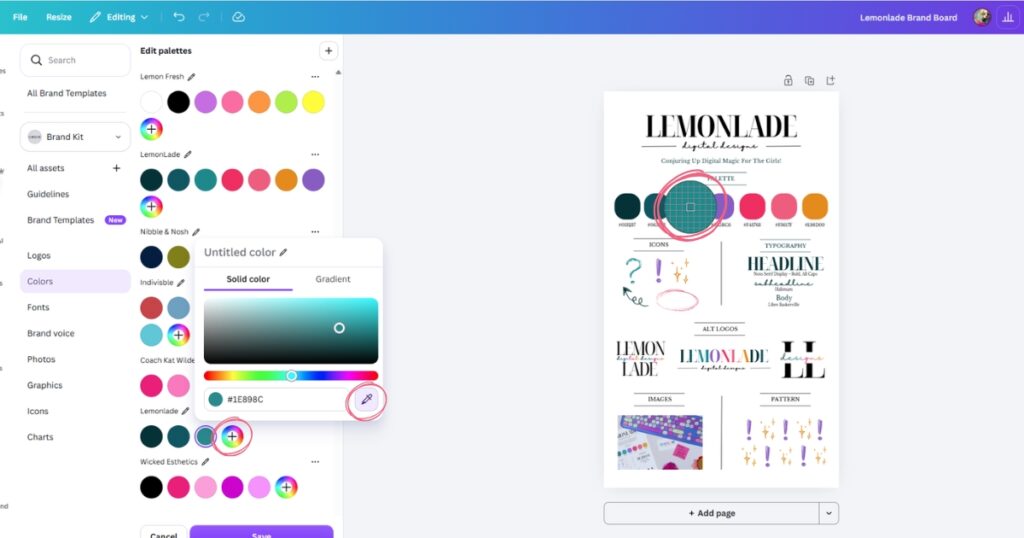
To add your specific shades, select the rainbow circle with the plus sign, grab the eye-dropper tool, and hover it over your first brand color. Click the color and then repeat the process until all your colors are safely dropped into your kit.
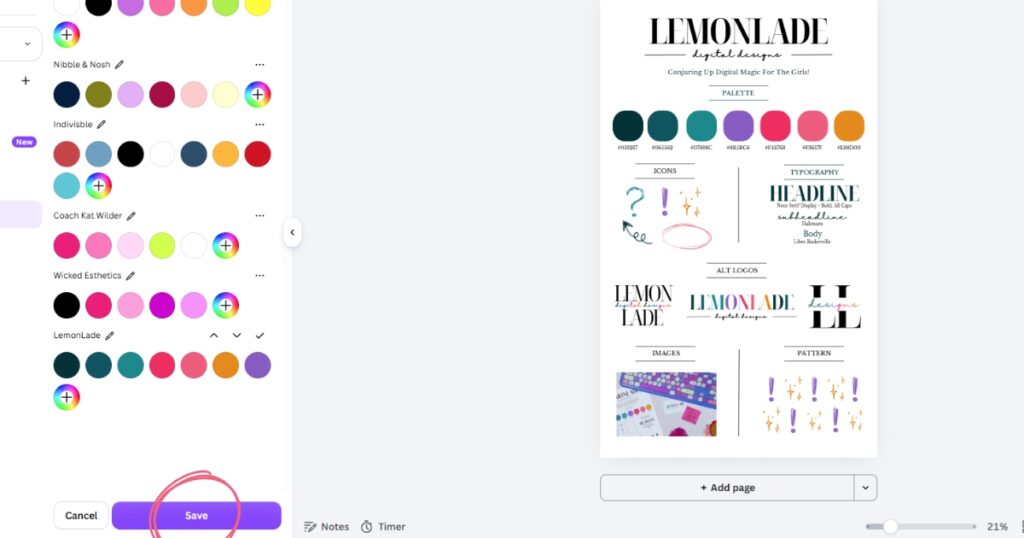
Hit Save, it’s just like magic ;).
Step 5: Sprinkle in your typography
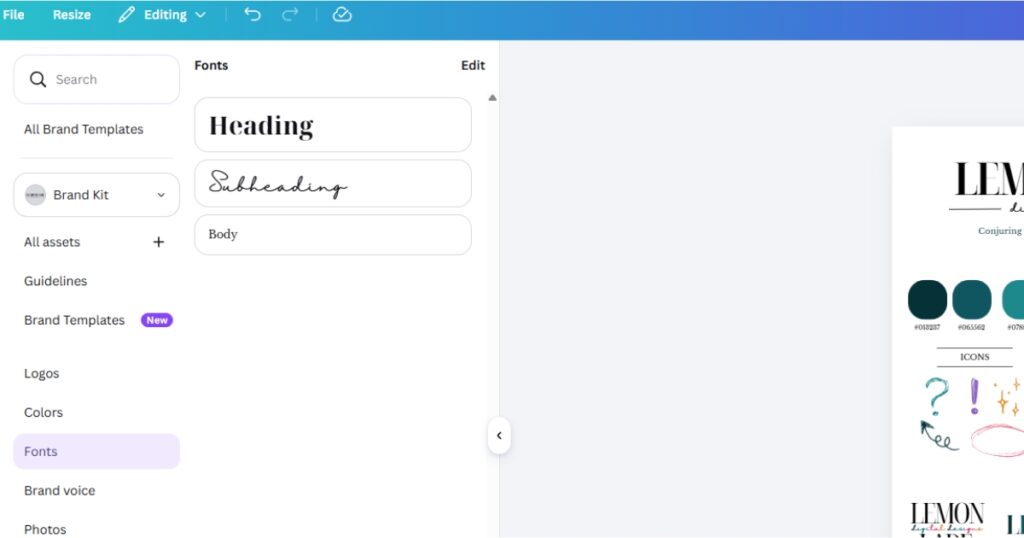
Select the Fonts tab in the left-hand brand bar and click ‘Add Fonts.’
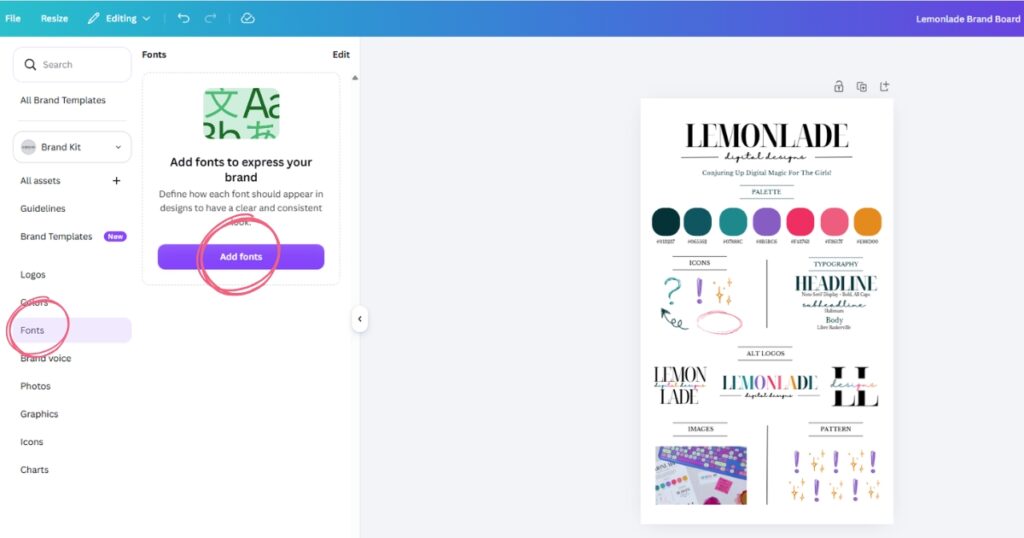
Every Lemonlade brand kit comes with typography guidelines to follow to keep things looking professional. We always use fonts found in Canva and Google so you can use them anywhere without a hitch! Once you’ve set your signature styles, hit ‘Save.’
Step 6: Simmer in your photographs
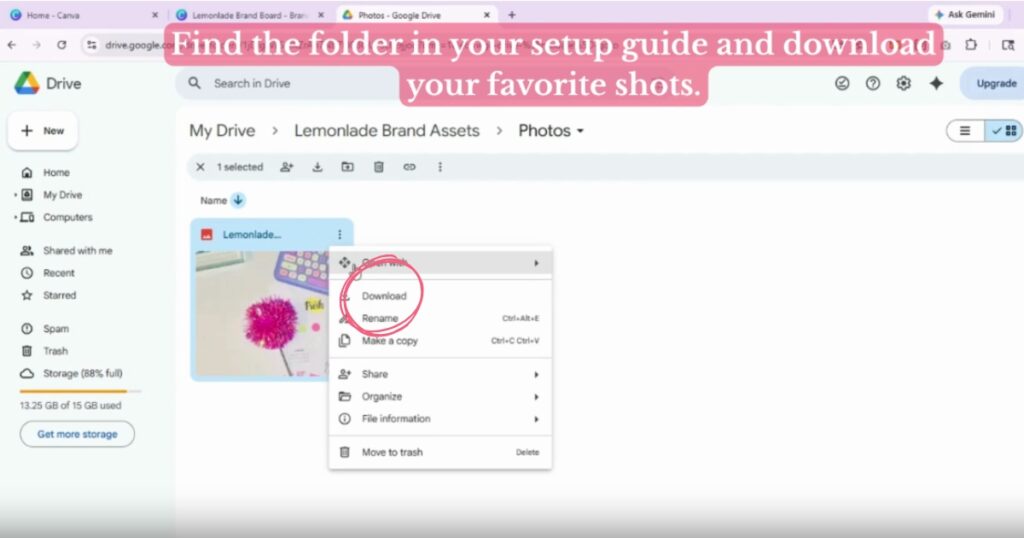
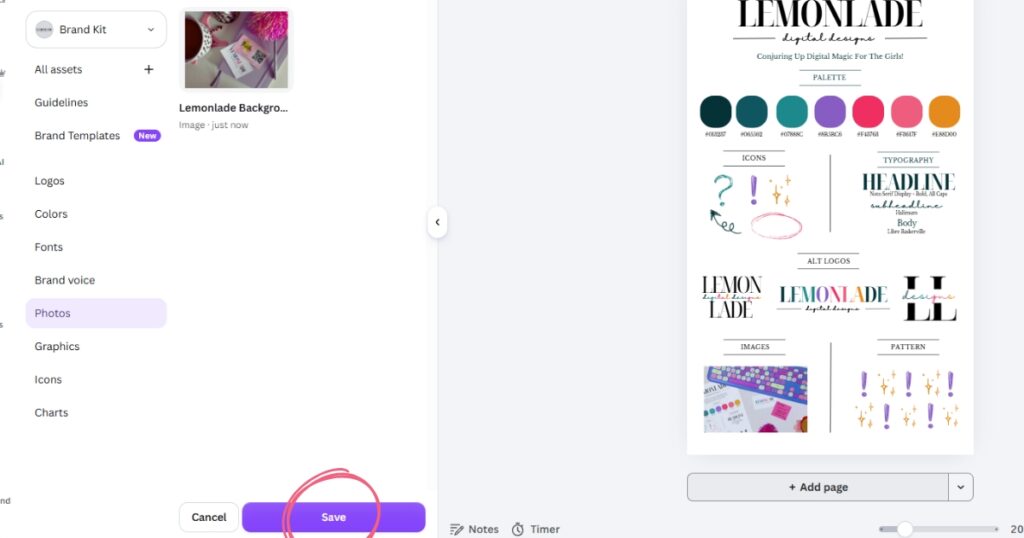
Select ‘Photos’ from the left-hand brand bar. Every Lemonlade brand kit includes a curated collection of stock images and background textures chosen specifically to give your brand something professional to start with. Find the folder in your setup guide and download your favorite shots.
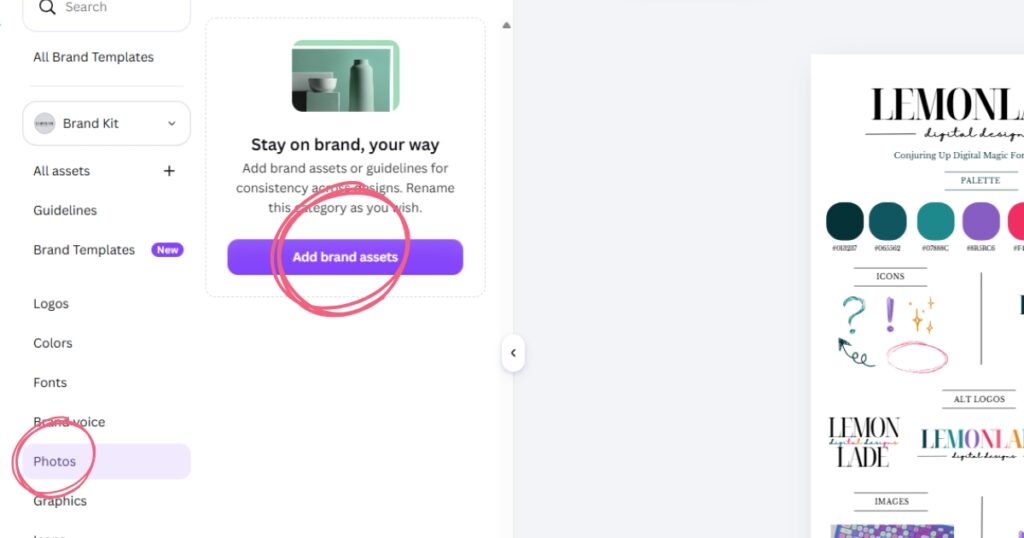
Back in Canva, click ‘Add Brand Assets‘
then ‘Upload to Photos’ and bring those freshly downloaded images into the space.
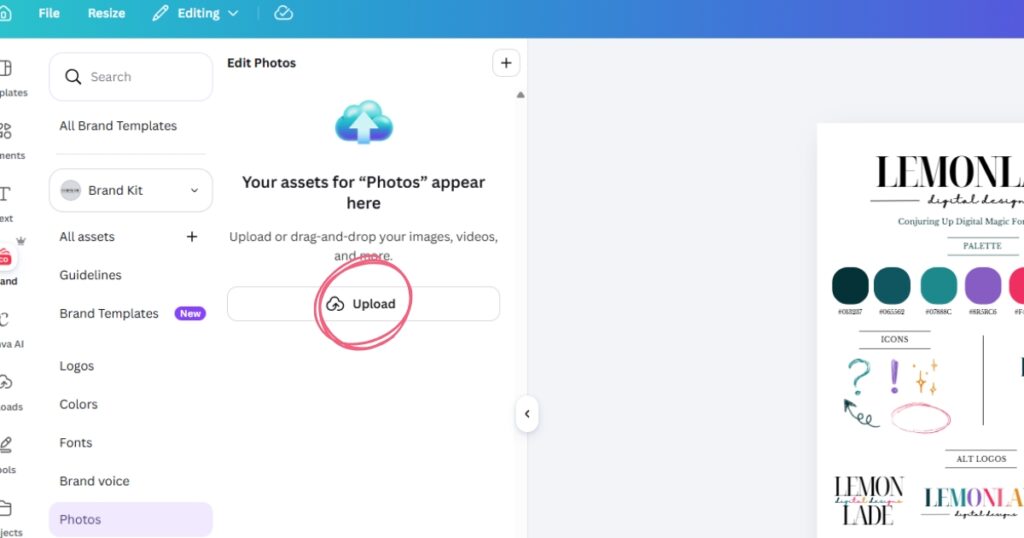
Once they’re all added, hit ‘Save.’
Step 7: Add a dash of your icons
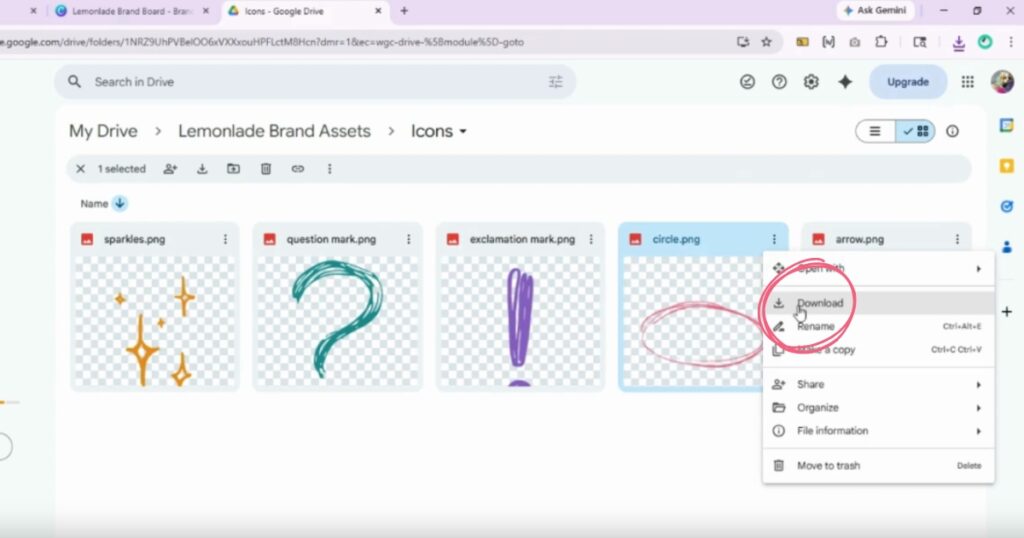
Select ‘Icons’ from the left-hand brand bar. Every Lemonlade brand kit comes with a special folder that includes custom-created icons just for it’s brand.
Because these are SVGs, they are extra potent; once they’re in Canva, you can change their colors to match your palette perfectly! Find that folder in your setup guide and download the icons. (A quick potion note: The icons used in this tutorial are PNGs, but your official files are SVGs, which means you have the power to recolor them).
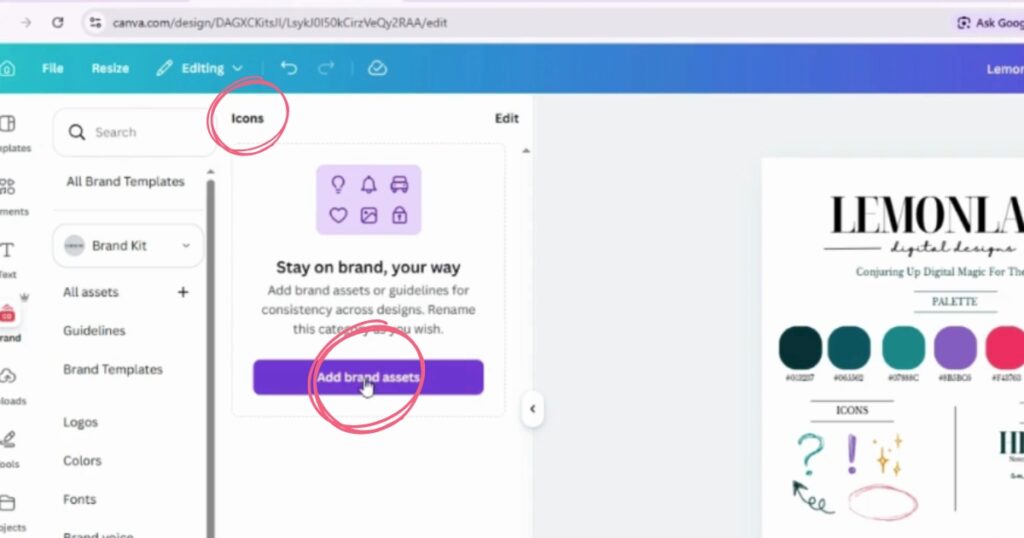
Back in Canva click ‘Add brand assets‘
and then click ‘Upload to Icons’.
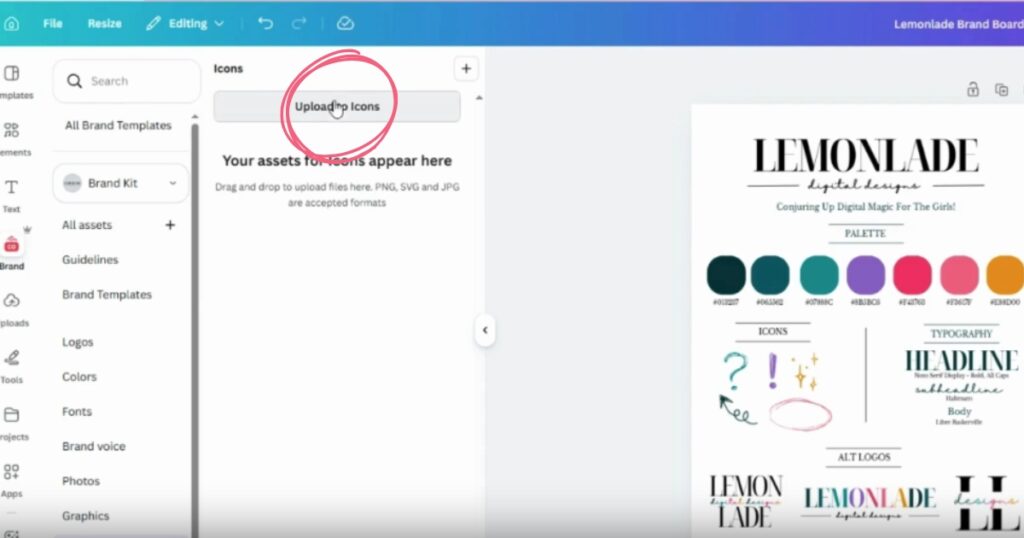
Once they’re all in, hit ‘Save’ to lock in the magic.
Step 8: Garnish with graphics
Select ‘Graphics’ from the left-hand brand bar. Every Lemonlade brand kit comes with a custom pattern.
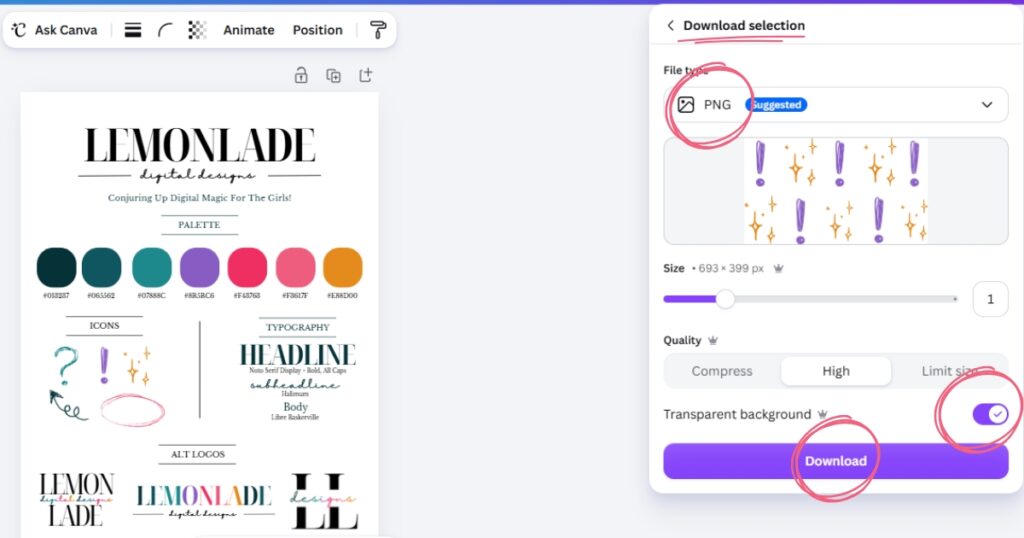
Much like your logos, these are fully customizable! Find the pattern in the brand kit, change the colors to your heart’s content, and make sure the pattern elements are regrouped. Right-click and ‘Download Selection’ as a PNG with a transparent background.
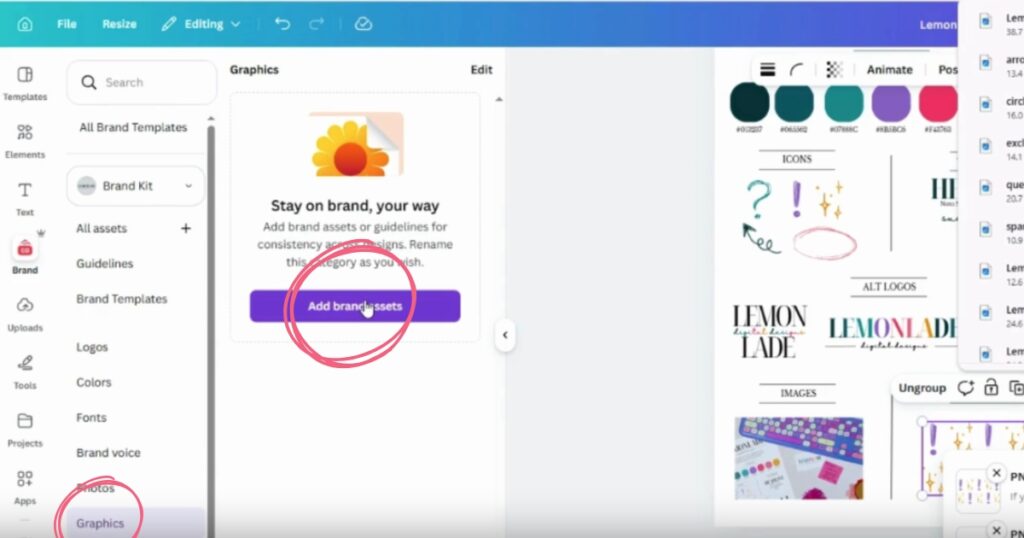
Click ‘Add brand assets,’
then ‘Upload to Graphics,’
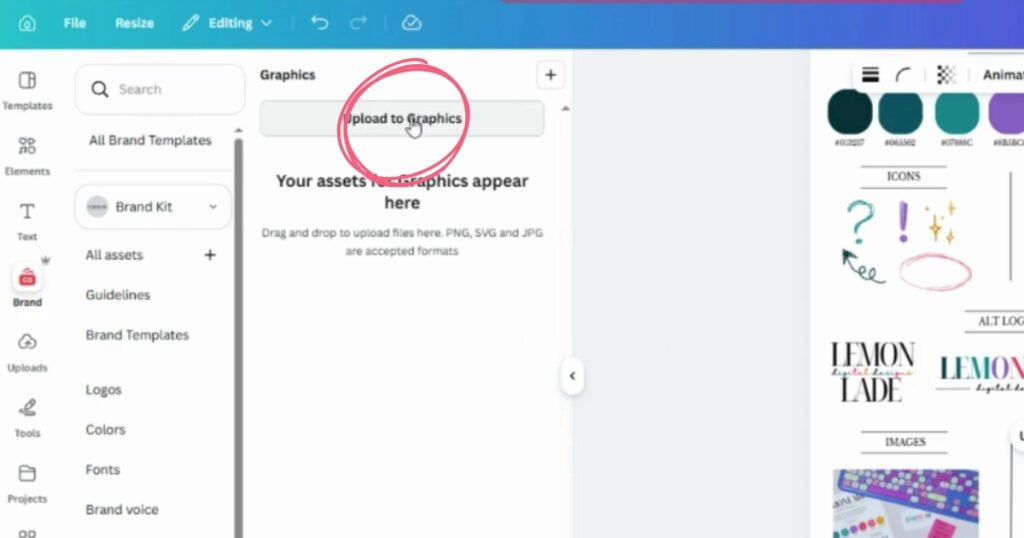
and drop in your freshly downloaded pattern. Hit ‘Save’.
Step 9: Sample the magic
And just like that, your brand is officially bottled and ready to pour!
Now that your Canva apothecary is fully stocked, the creative possibilities are endless. Watch the video at the top of this blog to see exactly how these ingredients come together at the end to create professional, cohesive designs without the hassle of copy and paste every time.
Happy brewing, girl friends!
xo, Payton
Leave a Reply
If you hit a snag or something doesn't look right, no need to flip the cauldron. Mastery takes time. If you’ve re-watched the video and the ingredients still aren't aligning, send us a message. We’ll help you clear the hurdle so you can get back to ruling your empire.


